

What is a Generation ?
A generation is the process of updating your workflows with Database’s data. It triggers an asynchronous process in the background that will update your workflows with the latest data from your Database.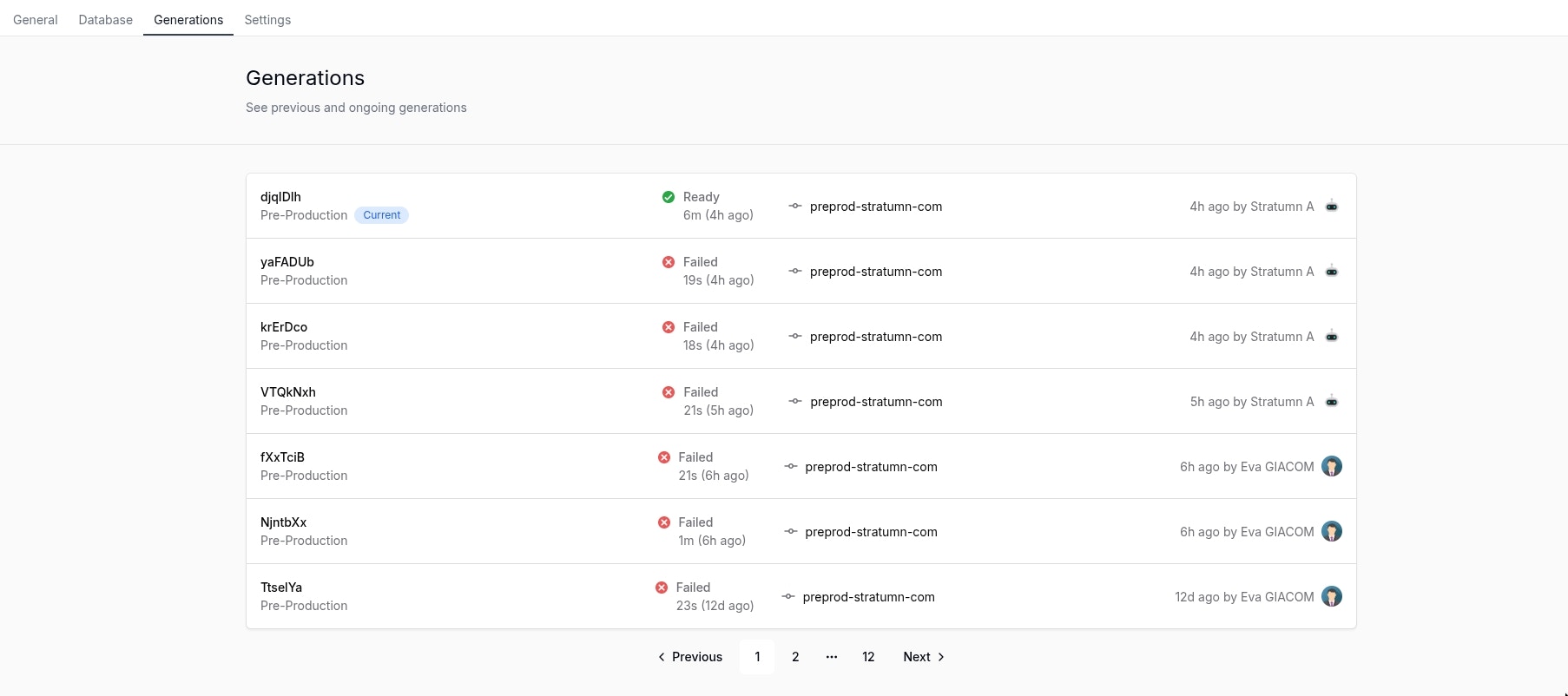
Generation history
The generation history is a paginated list of all the generations that have been triggered, it is ordered by creation date in a descending order. You can find the following information in the generation history:
- Generation ID: A random ID generated by the system to identify the generation.
- Currently deployed: A little blue chip named Current will show the currently deployed generation.
- Target environment: The environment where the generation will be applied, it can be Production or Staging or Pre-Production.
- Generation status: The status of the generation, it can be Pending, Timeout, Ready or Failed.
- Generation duration: The duration of the generation.
- Generation time elapsed: The time elapsed since the generation was triggered.
- Generation source: The image source tag of the generation, reserved for Stratumn team.
- Generation author: The user who triggered the generation.
Triggering a generation
To trigger a generation, you can click the Generate button in the top right corner of your screen.
