

Classic cell
If the cell is containing normal values like numbers or characters you can directly modify the value of the cell by double clicking on it and start typing.
Clicking anywhere outside the cell but inside the grid (e.g. clicking on
another cell) will also save the modification.
If you are not sure if your modification has been saved, you can simply
refresh the page.
Regex validation
Sometimes, for security reasons, you may want to validate the value of a cell before saving it by using a regular expression. These are defined by the client and configured by the Stratumn team and if you try to save a cell modification with an invalid value, the modification will be rolled back and a custom message will be displayed.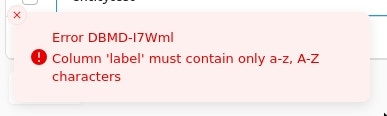
Reference cell
If the cell is a reference cell, double-clicking on it will open a multi-select menu.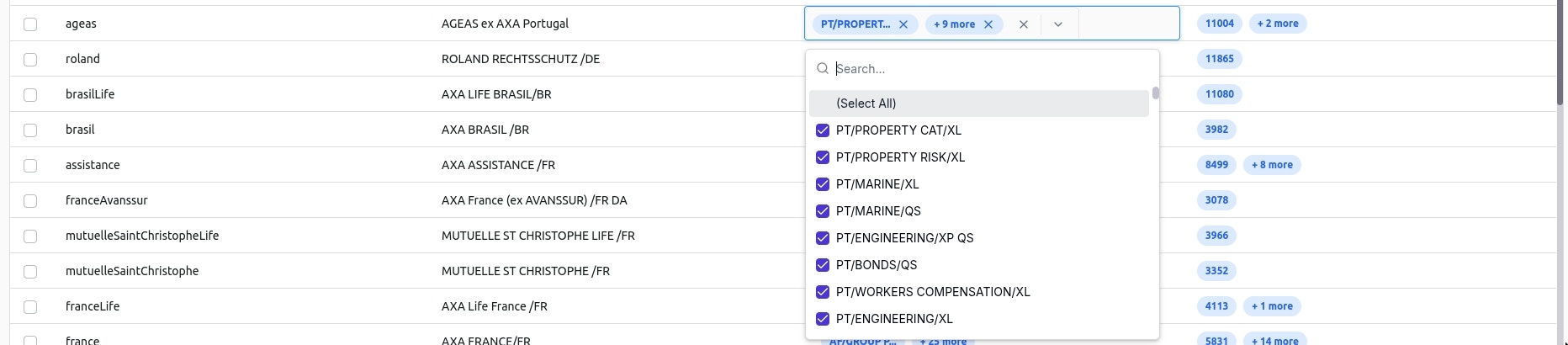
- Directly click outside the cell but inside the grid (e.g. another cell), this will instantly save the modification.
-
First, press Escape or click on the Close button at the bottom of the multi-select menu to close the menu with your modifications temporarily saved.
- Then, press Enter or click outside the cell but inside the grid to definitively save the modification.
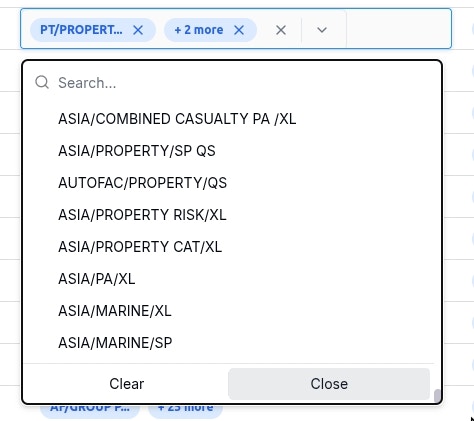
Same as for the classic cell, if you are not sure if your modification has
been saved, you can refresh the page.