Overview
Notifications in configuration serve multiple purposes, including:- Alerting users about changes in workflows.
- Sending important updates or reminders via email.
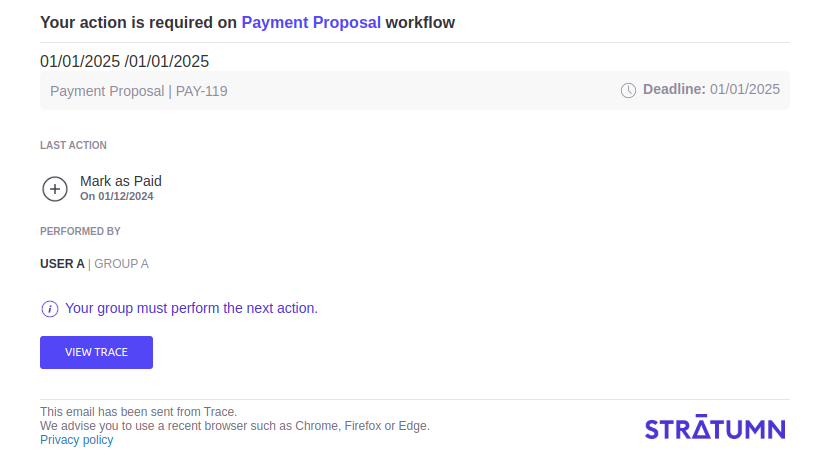
- Inviting a user to take a next action on a trace…
How it works in configuration
The notifications are not directly sent through configuration or thedsl package. They are stored under state.notifications an an array.
When performing an action on a trace, Trace API is creating a link and checking state.notifications. If it founds one, it will call Notification API with the correct template.
To send a notification, the data might contains variables derived from the state (such as lastActionName, status, etc.). Thus, notifications are usually built and sent inside the effects of an action.
The action needs to provide the correct data to the state.notifications, typed as NotificationOptions inside the dsl package :
Notification Options
- Documentation
- Example
- Usage
string
The title of the notification.
NotificationReceiver
Identifies the user, account, or email to notify.
string
If filled, it will notify a group. Corresponds to the trace
group.label, which is a camelCase string (e.g., traceBot, agreTa).NotificationChannel
The notification channel. Defaults to
EMAIL.Template
The template used for the notification layout.Possible values for In configuration, usually 3 are being used:
TemplateName:SCHEMA_FULL, SCHEMA_MINIMAL and NOTIFY_FOR_ACTION.Please see below to check all available templates.NotificationSender
Information about the sender. Defaults to:
name:Stratumnissuer: Name of the microservice (e.g.,TRACE,OFFLINE).traceId: ID of the current trace.workflowId: ID of the current workflow.
string
Usually the trace ID. Defaults to
-9999.string
The resource type. Defaults to
TRACE.string
Optional avatar URL for the notification.
string
Optional icon URL for the notification.
string
The notification message. Can be empty if
template is used.NotificationData
Custom data associated with the notification, related to attachments.
string
The format of the message content. Defaults to
MARKDOWN.number
Priority flag for ordering notifications in batch emails.
boolean
If
false, no email will be sent alongside the notification.NotificationTemplateConfig
Configuration specific to the selected template.
Email Templates
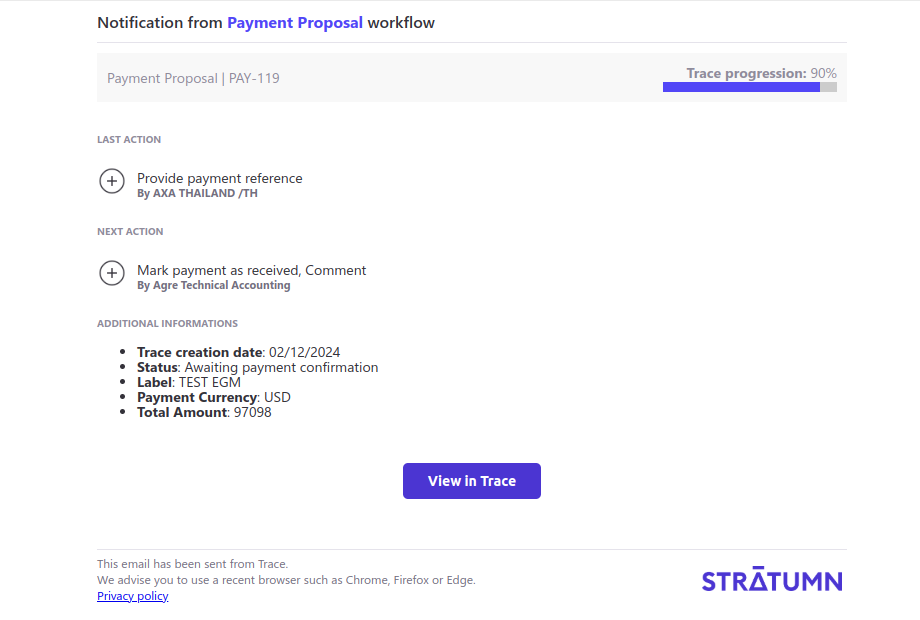
Schema Full
Theschema-full template has a rich HTML structure including metadata, workflow context, trace context, etc. It is the template used when a “Last Action” and “Next Actions” from the trace are mentioned, and if any additional information are provided.
- Screenshot
- API
- Type
- Example
Schema Minimal
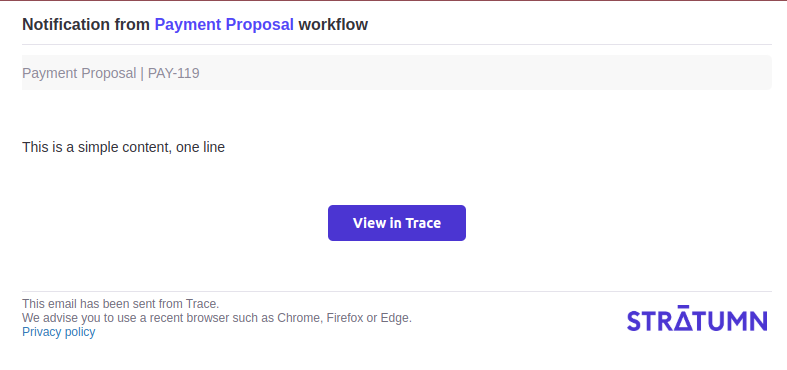
Theschema-minimal template is a more simple content html structure.
- Screenshot
- API
- Type
- Example
Notify For Action
Thenotify-for-action template is a notification prompting the user to take an action.
- Screenshot
- API
- Type
- Example