

Workflow settings Analytics Page
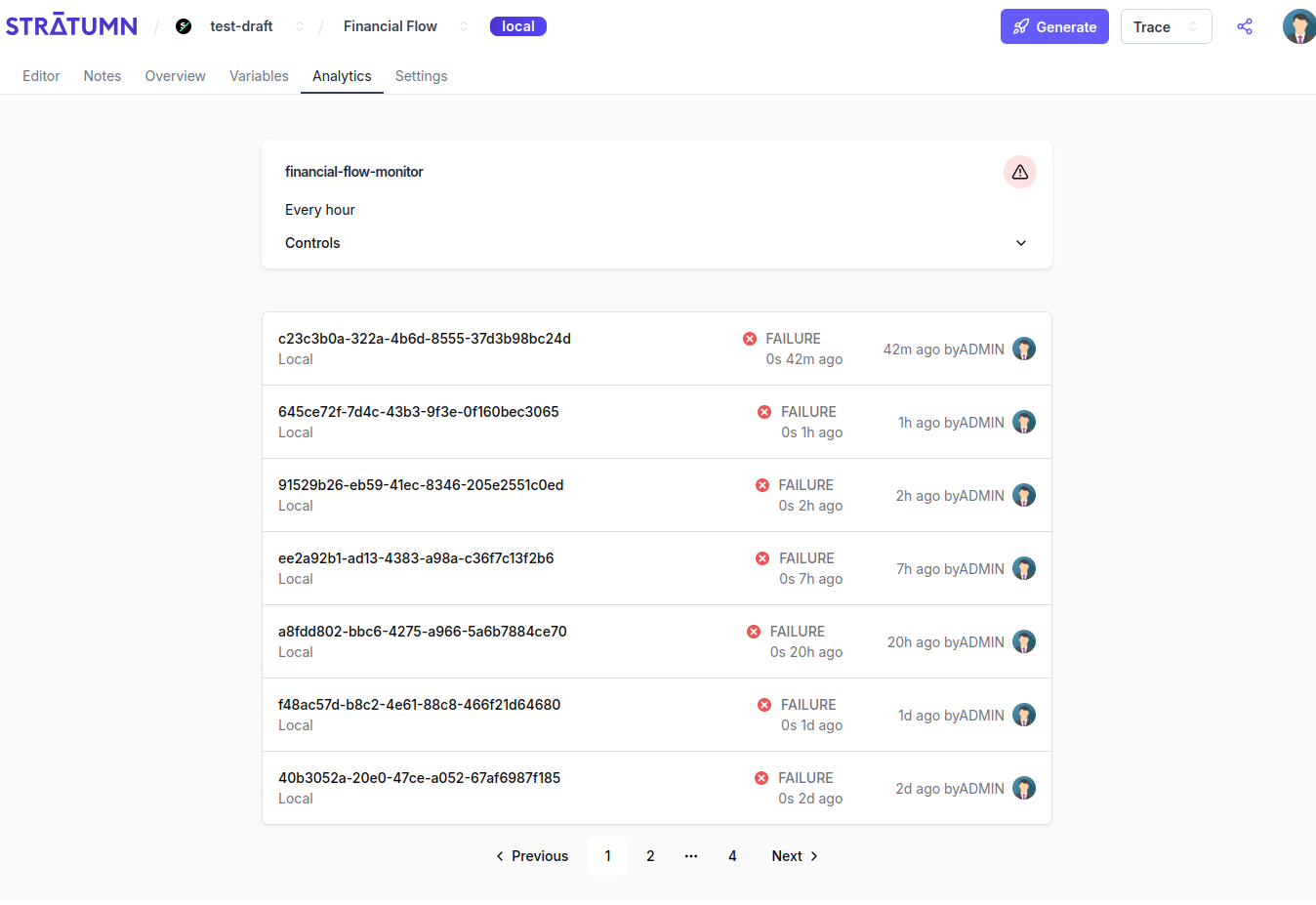
Studio - Workflow - Analytics settings page
- The ETL card, with the global info about the ETL
- A paginated list of ETL instances, the pods, in the most recent one being launched order.
id, name, status, a cron_expression if the ETL is scheduled to run periodically (see below ), and all others properties of a Job.
Controls
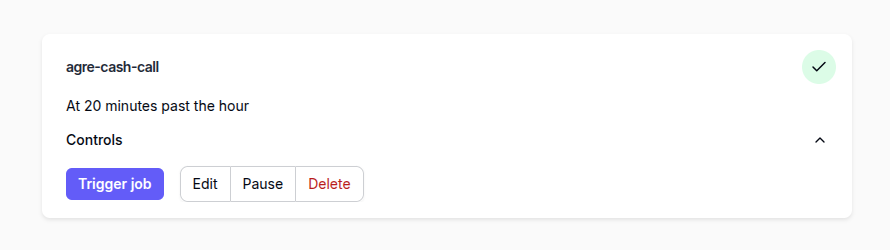
ETL card
- Trigger : to trigger the etl instantly (It will create a Pod from this etl)
- Edit: to edit the etl details (see Edit )
- Pause: Clicking on it will pause the ETL, which will set its status to
RECEIVEDand put the cronjob on hold. The ETL won’t run until the pause is active. Clicking again will resume the ETL and starts the cronjob, and sets its status toIN_PROGRESS - Delete: will not delete the ETL job in the database but sets its status to
COMPLETED, in which case Studio won’t show them on the page anymore.
Edit
On the ETL card, You can edit he name and cron expression directly by clicking on it :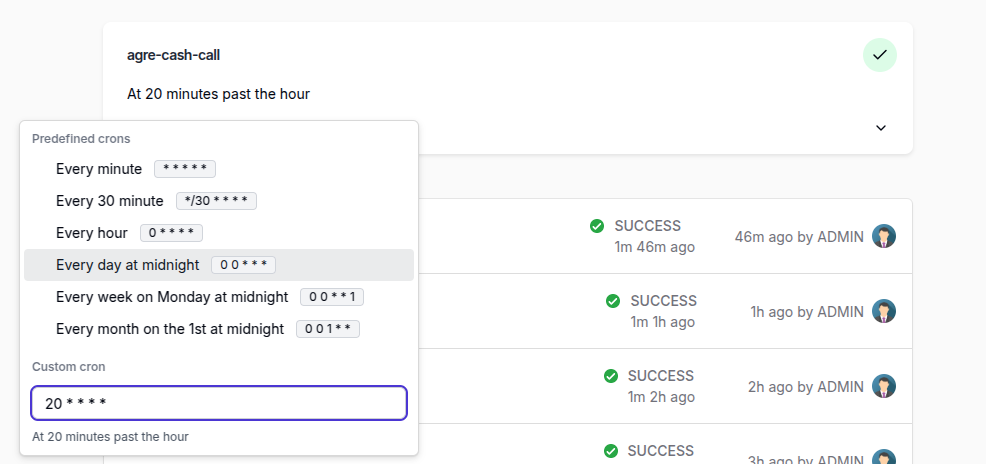
ETL card
Edit. A modal opens :
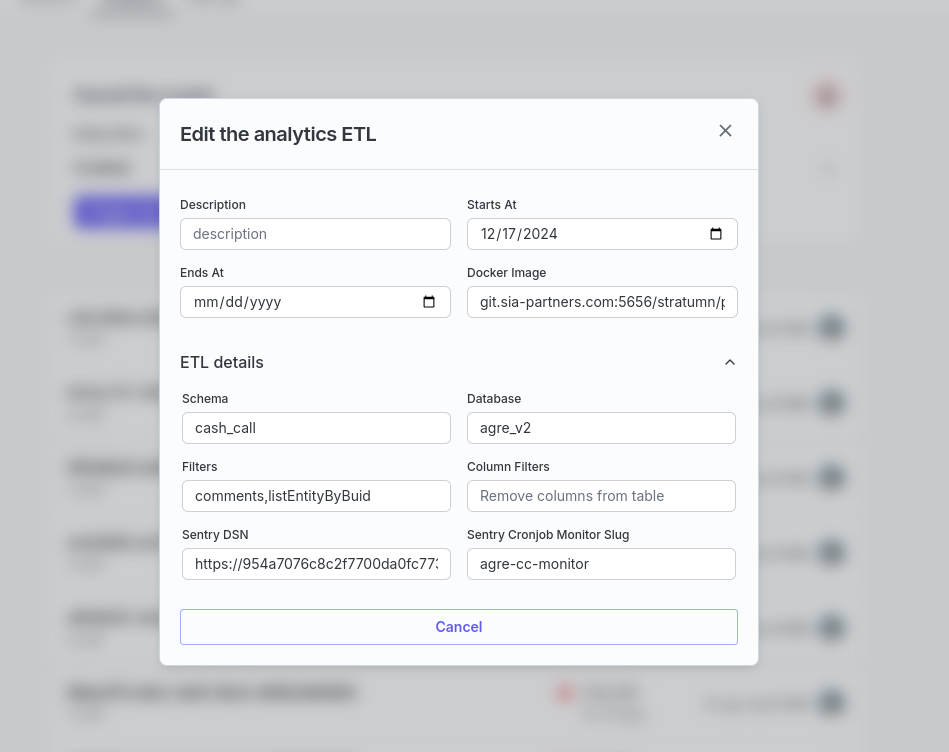
ETL edit modal
ETL pods and logs
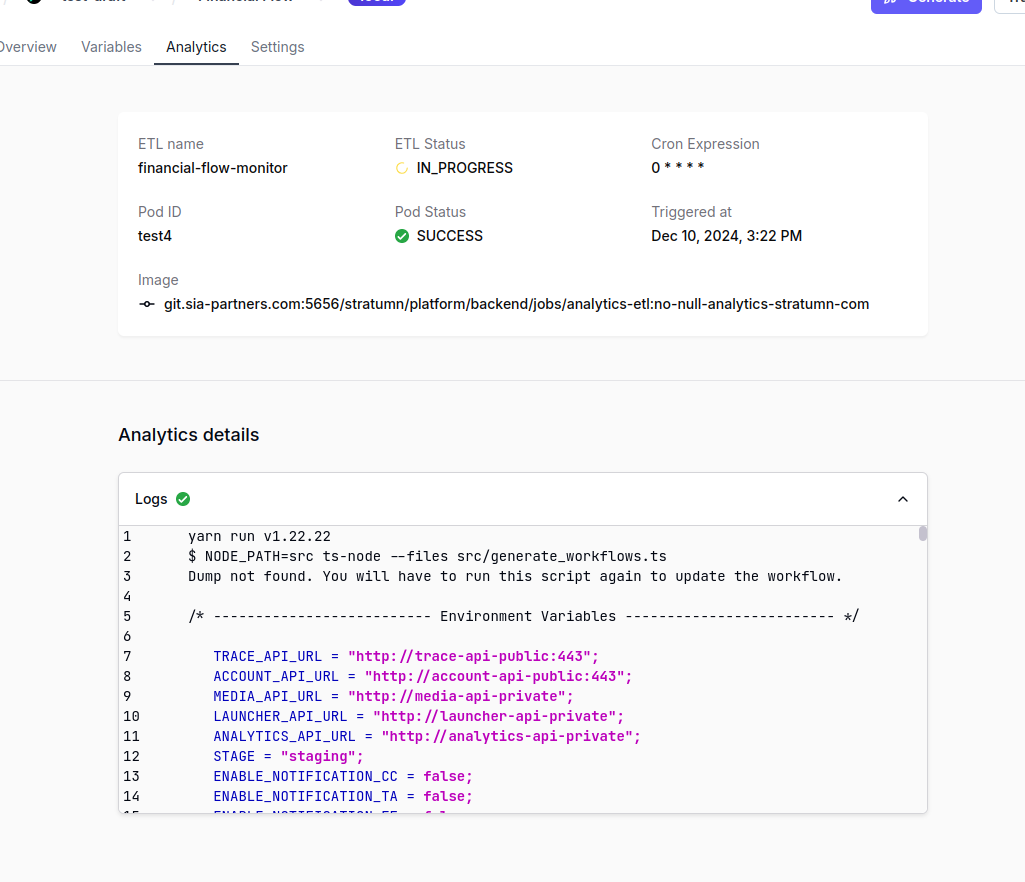
ETL pods
To see the logs in Studio, you will need to enable
store_execution_logs to
true inside metadata. Please see this
hereCron expression
Cron expressions are a powerful way to schedule tasks in Unix-based systems and various job schedulers. They consist of a string with five to seven fields that define a time-based schedule. Cron Expression Format A standard cron expression consists of five fields, while extended versions may have six or seven:0 0 * * *- Runs daily at midnight.0 */2 * * *- Runs every 2 hours.*/30 * * * *- Runs every 30 minute.0 0 * * 1- Runs every week on Monday at midnight.0 0 1 * *- Runs every month on the 1st at midnight.